
Rendering Update ... 7?
Two weeks ago I explained how I needed to work on my collision system to then work on my audio system. So naturally, this week I refactored part of my rendering pipeline (the real reason: so I can add video settings and make it easier to share the game). There won't be a lot to show yet as it is still heavily work-in-progress, but the goal is to clean up the pipeline to allow implementing missing features (better Anti-Aliasing, HUD / GUI, Transparency) and improve existing ones (mainly SSR and SSAO are pretty rough).
Rendering Target Parameters
tldr; improved how CPU configures shaders so it's easier to render parts of the game (reflections, blur, etc.) at lower resolutions for increased performance.
Previously (3 months ago?) I had created an architecture that I thought was great, allowing my various passes to share data in a clean way. I have multiple UBOs (~structures of data sent to the GPU and shared between multiple draw calls) for different abstraction levels (e.g. view parameters such as projection matrix and FOV, global parameters such as world time, custom parameters for specific materials, etc.). For the few readers who don't touch OpenGL but are versed in Unreal's rendering: this is a similar architecture that makes time and other parameters available in materials.
An important one is target resolution: it is desirable for some shaders (especially for effects such as anti-aliasing or blur) to know the dimensions of the render target (the size of the image the shader is drawing to). That parameter used to be merged with my view parameters, which was incorrect and made it difficult to customize the render size of specific effects (for instance it is common to render reflections at a lower resolution to save GPU resources). I spent some time extracting it into its own structure that can be updated based on the current render pass, and I can now render various parts of the game at different resolutions than the game's window.
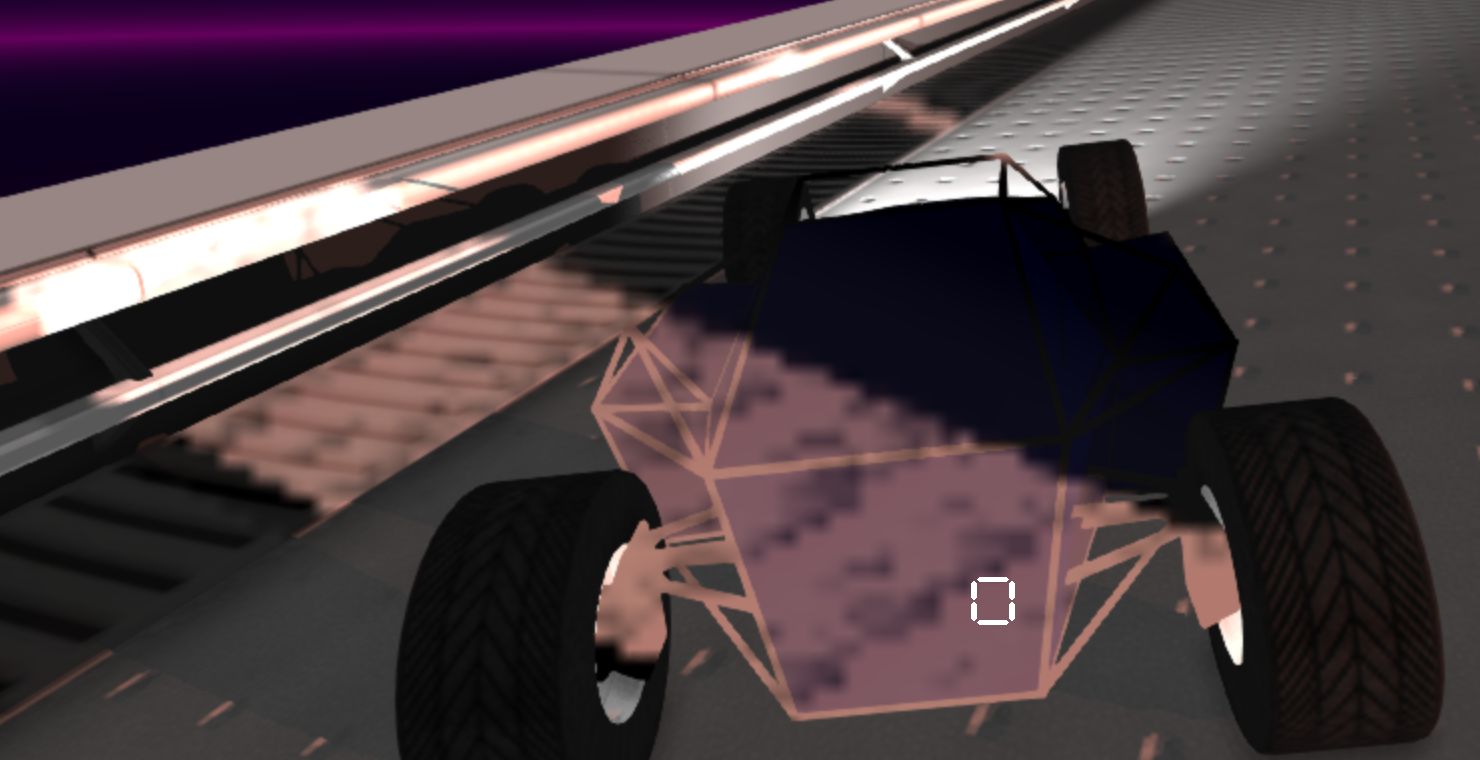
An example of the game rendered at half the window's resolution and reflections at 1/16.
Frames In Flight Limiter
tldr; implemented a system to trade framerate for input latency.
This one is a bit tricky to explain but I'll try my best. If your game is GPU-bound, the CPU will spam the GPU with more frames to render. At some point (when there are 3 or 4 frames pending) the GPU will just tell the CPU to wait before attempting to prepare a new frame. It's good but this value (the number of pending frames) is controlled by the GPU and its driver, and a number of 3 or 4 increases input delay.
So I implemented a system (using GPU fences to detect when the GPU is done rendering previous frames) that allows controlling how many in-flight frames are allowed at a time. This drastically improves input-lag but can make FPS spikes caused by the CPU more noticeable when they happen (if the CPU goes slower, the GPU will eat through pending work too quickly and run out of frames to render). Not all games allow controlling this parameter, but when they do it's actually very useful. Here is roughly what would happen with various values:
- 1 : CPU sends frame to GPU, then waits for GPU to be done
      pretty bad for framerate, about the best for input latency
- 2 : CPU sends frame to GPU, it prepares next while GPU renders, end of next if GPU isn't done with the first then CPU waits
      fairly good (better than letting GPU driver decide) for input latency and great for framerate, if CPU framerate is steady
- >2 : same but better for less steady CPU framerate, deteriorates input lag
GPU Profiler
tldr; made it faster and better.
I also spent a good amount of time improving GPU profiling. I don't have an example of the old one but it was pretty much a flat list of GPU timer queries for different render passes (opaque geometry, sun shadow, SSAO, SSR, ...) that would stall the CPU when GPU was being profiled (the rendering system would wait for previous frame's queries to be ready (so for the frame to be rendered) before moving on, meaning framerate was tanking precisely while trying to measure it).
I first made it not stall when profiling was happening (I store a GPU timer query per past frame that hasn't been rendered yet). Then I implemented a proper scope-tree to measure various nested parts of the GPU pipeline. Finally I replaced a hardcoded `RenderPass` enum by dynamic scope names, making it easier to add and remove profiled scopes. Here is what it looks like in ImGui:
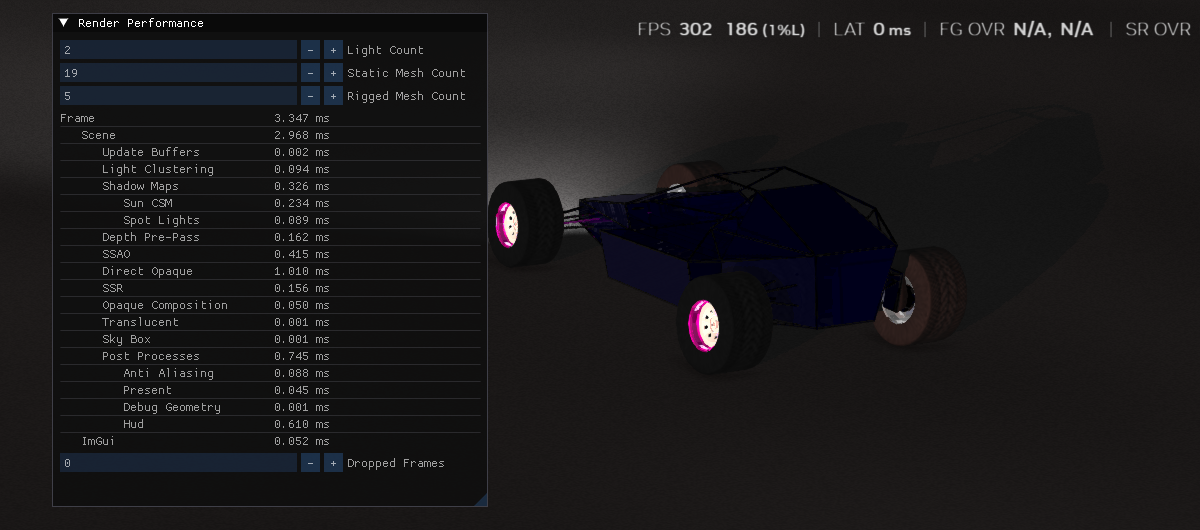
The new live GPU profiler can display nested scopes without stalling.
Other
- fixed all build warnings and enabled `/WX` (warnings = errors)
- made post-process flow (AA, HUD, etc.) more hardcoded but easier to understand, will also allow implementing MSAA/TSAA more easily if needed
- replaced HUD hacks (e.g. why would engine know about car's speed?) with more organized code (in game's module)
- implemented actual full screen