Rendering++
This week will be a quick update despite the lot of changes I managed to put in!
Roughly my time was spent iterating on the rendering pipeline to implement fun-looking features.
Note: for now you will see I am only considering real-time algorithms while there exist many that allow baking shadow/reflection/ambient occlusion into texture, this is because I intend to use runtime-procedurally generated maps which would not allow baking.
Shadows
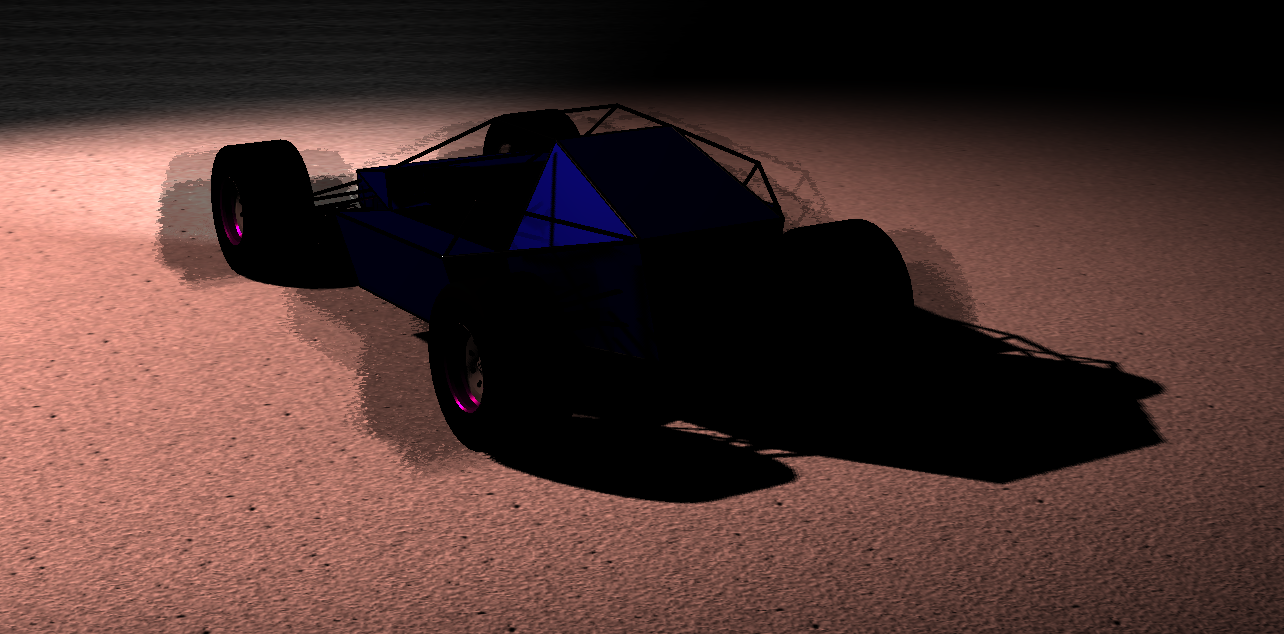
Let's say you have 1 light in your scene. The idea is to first render the depth of the scene from the perspective of the light. This way we know for each of the light's direction how far the light can see. Then, when rendering the scene's geometry normally, we can just check if current fragment being rendered for a given triangle is what the light would have seen (we compute how far this fragment is from the light and whether it matches distance light could see in direction of fragment).
Here are the results for sun shadows, first in low resolution to test the algorithm, then in higher resolution and using PCSS algorithm to soften shadows when far from blocker:
I then implemented a system to select every frame the N most relevant lights (for now just spot lights, I disabled sun light as I would like to implement CSM in the future) and compute their vision's depth buffer (shadow map).
Here is the result computing shadows for closest 6 lights, including 2 car headlights:
Reflection
Good reflective surfaces would require rendering the scene from the mirror's perspective (a bit like I did for shadows) but this is more expensive (because shadow only need to compute depth, mirrors would need to compute lighting, colors, etc.). So I went with SSR (Screen Space Reflection) which consist in using the rendered scene (each pixel's color, depth, and normal) to compute what that pixel could reflect.
Simply put, I go through each pixel of the screen, check what was the surface normal at that point, use some math to compute in what direction a ray coming from the camera would bounce after hitting that pixel (thanks to surface normal), then iterate over other pixels in this direction until we find one that the ray would have hit again. This algorithm computes a texture that only contains the reflected color of each pixel of the screen; it is then combined with those pixels' own color and reflective properties (as well as environment cube map to complete reflected color where SSR algorithm couldn't find any, for instance if a surface is facing the camera and would need to reflect a pixel behind it).
Here is what I got; there is still some work to do (no environment cube map yet for instance; I will show what the reflected color texture look like in future update):
Ambient Occlusion
When rendering a scene, an ambient light is a light that is applied to every pixels, regardless of whether they are being lit by a light or not. This is used to emulate the many bounces light would perform in real light, never really leaving any corner fully dark.
However, this can look odd especially in crevices where light would actually struggle to hit. This is where ambient occlusion comes in, it consist in computing where and how much to dim ambient light based on the scene's geometry. This adds a lot of depth to the image and makes it feel like it is not just shapes floating around each others by adding a little darkness where they connect.
Here I went with SSAO (Screen Space Ambient Occlusion). It is performed by using the pre-rendered depth and normal buffers of the scene to find, near each of them, other pixels that likely would have blocked the light from bouncing too easily. I won't bore you with the details, but off course they are available on LearnOpenGL.com's post on SSAO.
Rendering Pipeline Overview
Finally, I spent a couple days this week reorganizing and cleaning my rendering pipeline to properly implement those new features I toyed with. Now it looks like:
I. Compute Light Clusters
II. Compute Depth Pre-Pass (+ Geometry Normals)
III. Compute Ambient Occlusion Factor
IV. Render Opaque Geometry Direct Color (only direct light effects so no reflection yet)
V. Compute Reflected Color (WIP)
VI. Compute Opaque Geometry Final Color (combine direct color with reflected color)
VII. Blend Translucent Geometry Color (TODO)
VIII. Apply Post Processes (anti-aliasing, HDR, bloom...)
Here is a visual recap of the various textures I compute every frame through this pipeline (notice when I cycle through the various shadow maps, you can see how the street lights can "see" their own pole):
Oh and I also implemented anti-aliasing (thanks Nvidia's paper on FXAA) into the engine, but I have no proof since I temporarily disabled it to rework the pipeline. Anyway, no blooper video this week, just a blooper image of when I was trying to implement ambient occlusion: