
Back From Vacation
My weekend's worth of work went all over the place because I didn't feel like starting implementing collision on road junctions (that will be a big piece of work).
Gizmo
Improved gizmo usability by keeping handles at fixed size on screen regardless of how far the modified entity is. This is usually correct since there should only be one (or a limited number of) gizmos visible at once. I went the cheap way and just scale everything by distance from camera to handle.
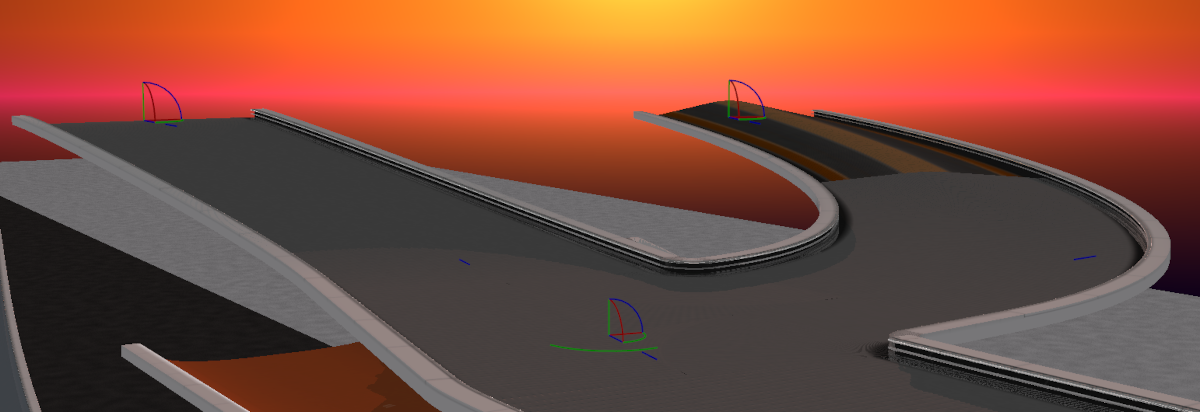
You can also see that I added gizmo handles for moving the P1 and P2 control points of junctions' Bezier curves (the points that control how flat or sharp curves are). Video below will show them in action.
Junction Model
Implemented the missing cases (mainly the left side junctions) and fixed a few bugs.
There are still a lot of bugs to fix, like some gaps between generated surfaces or stretched textures, but that will be postponed for a while.
Textures
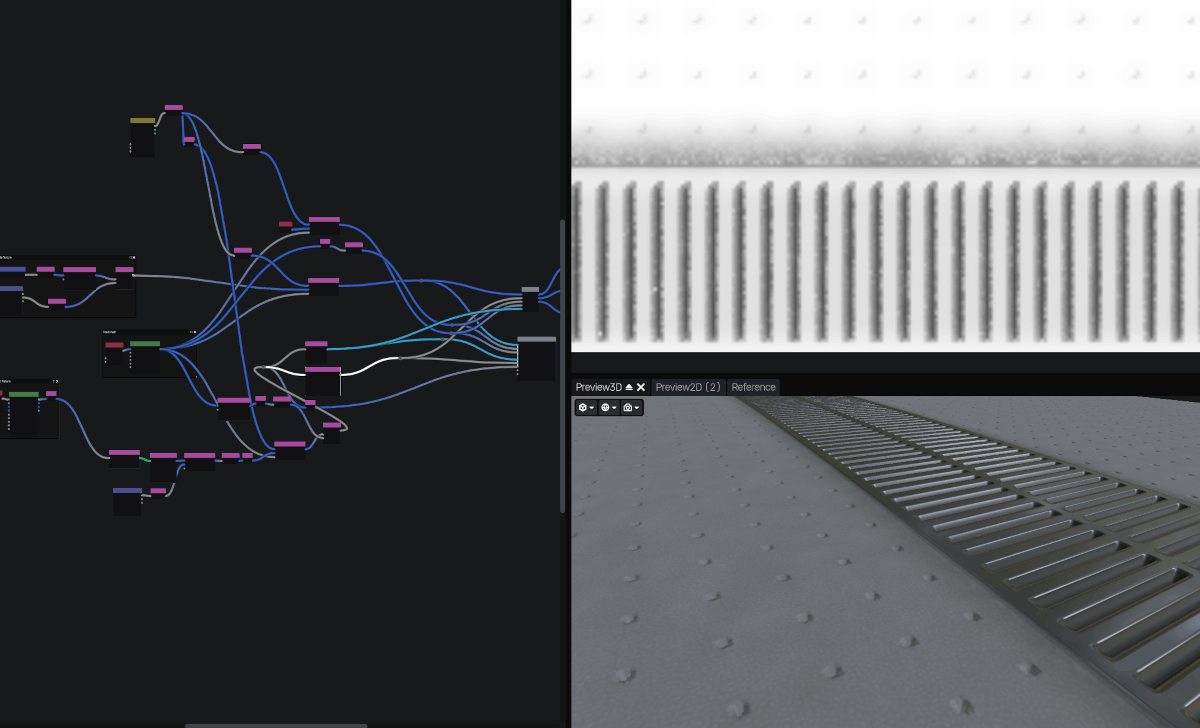
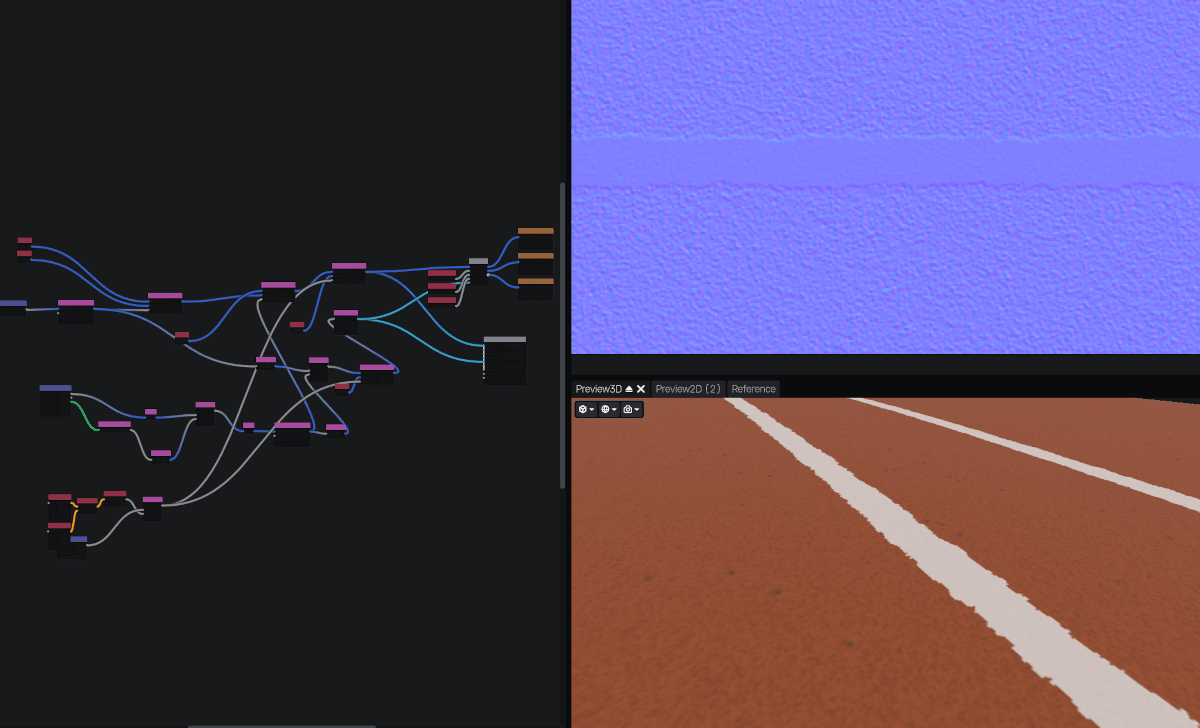
So, a few posts ago, I lamely borrowed textures from other games and the internet with only minor modifications. I had already played around with creating my own using Blender but I found the process cumbersome and not intuitive. So I researched a bit ("Hey Claude...") and found out about Material Maker (an open source alternative to Adobe Substance). So much easier to use, and faster (presumably because it only handles textures?).
For the non-artists reading this blog: this tool allows generating textures (albedo, normal, metallic/roughness/AO, etc.) just like one would in node-based shaders, using noise and mathematical operations (or other textures). It's well suited to the type of driving surfaces I want (procedurally generated roads). Here is a couple of textures I created with it:
Physics
I was watching a Steve Mould video and started discussing physics with someone that was wrong on the internet... I'm joking, it was with someone that got curious about my simulation. As I opened my code to share some of it, here is what I saw:
glm::vec3 computeContactFrictionForceOver100(
	glm::vec3 const& carPoint,
	glm::vec3 const& staticPoint,
	glm::vec3 const& velocityOver100,
	glm::vec3 const& restitutionForceNormalOver100,
	float frictionFactor,
	float referenceMass)
{
	auto const hitNormal = glm::normalize(staticPoint - carPoint);
	auto const hitVelocityNormalOver100 = glm::dot(velocityOver100, hitNormal) * hitNormal;

	glm::vec3 frictionForceOver100 = glm::vec3{ 0.0f };
	if (glm::length2(hitVelocityNormalOver100) > glm::epsilon<float>() * glm::epsilon<float>())
	{
		auto const frictionDir = -glm::normalize(hitVelocityNormalOver100);
		frictionForceOver100 = frictionDir * frictionFactor * glm::length(restitutionForceNormalOver100);
	}
	return frictionForceOver100;
}
Do you spot the issue? It is pretty bad. I am computing contact friction as a force parallel to contact normal, while it should be perpendicular. This probably explained why some bounces were odd or why the car may have been abnormally difficult to pull away from a wall it was "hugging". Anyway, so I fixed it (should use velocityTangent = velocity - dot(velocity, hitNormal) × hitNormal), but now it makes contacts quite rough so I will have to tweak friction values I think.
Performance
I started investigating what I can do about physics performance (again) on those complex extruded road profiles. What I did the other day (adding more separating planes in the BSP tree) helps but doesn't fix everything: since the procedural road is generated in big chunks, each collision entity is big so its bounding box is locally often exaggerated meaning the triangle(s) at the edge nearest to the car will always be tested for collision; here is a very poor drawing:
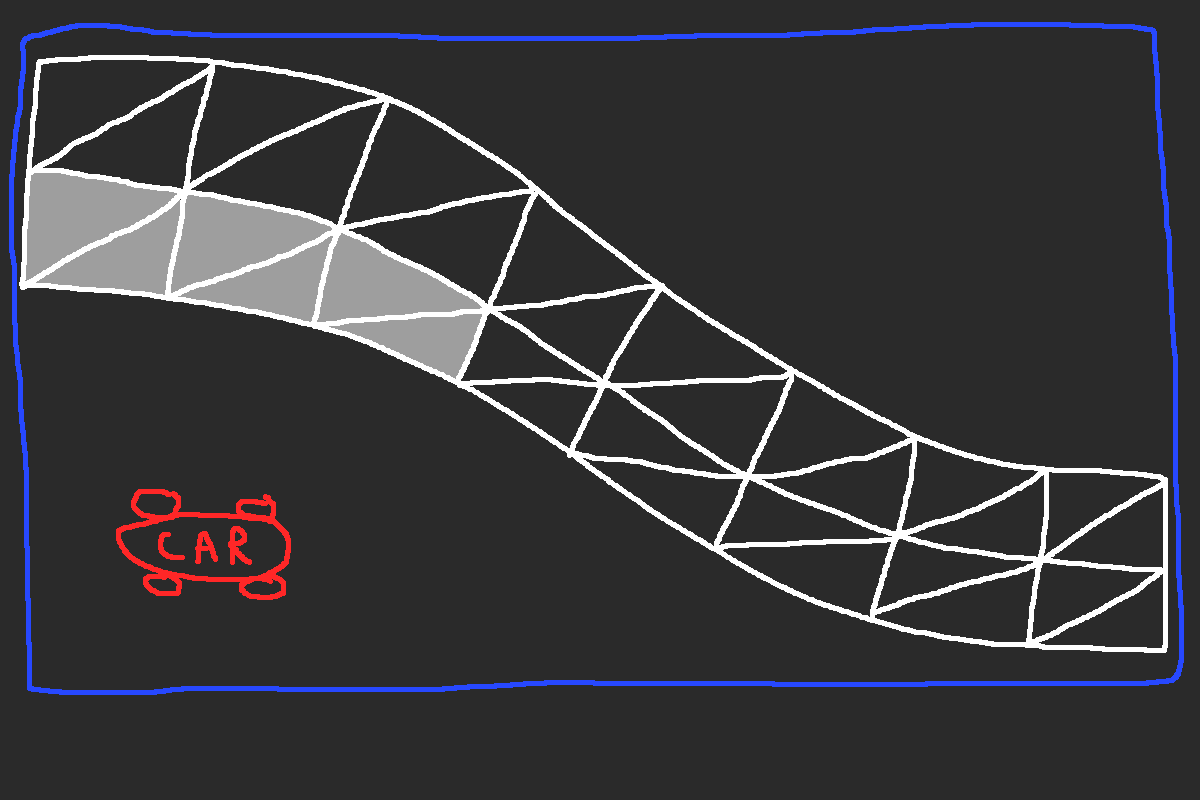
Again: the car is inside the bounding box (in blue) and on the "correct" side of many BSP planes (not represented) so it has to test many triangles (in light grey) for collision which is wasteful. I haven't yet figured out what I will do; I tried adding planes on each subdivision's edges but it makes the BSP tree too big and sparse. TBD.
Allez les Bleus and well played Mexico for being first qualified!